Send Email From Gmail
Email Host Password
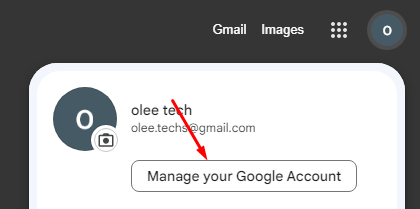
goto manage your google account
Write a caption
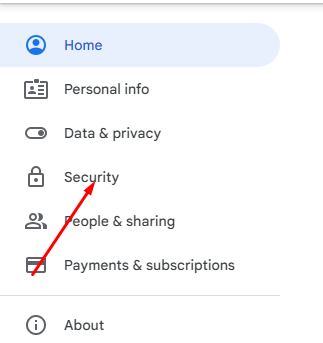
Select Security
Write a caption
Select App Password
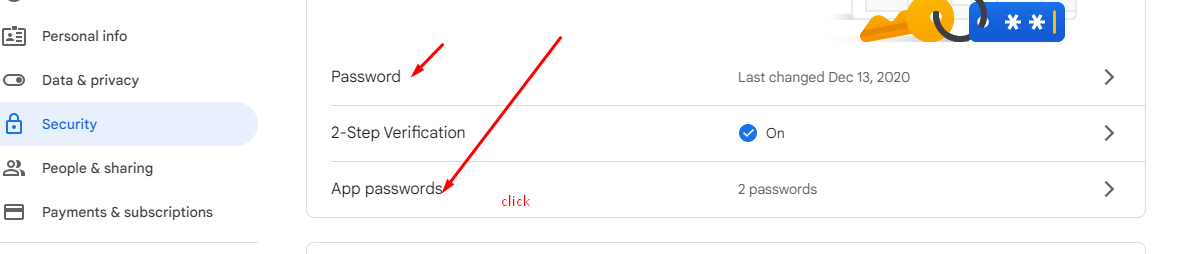
Login With Password
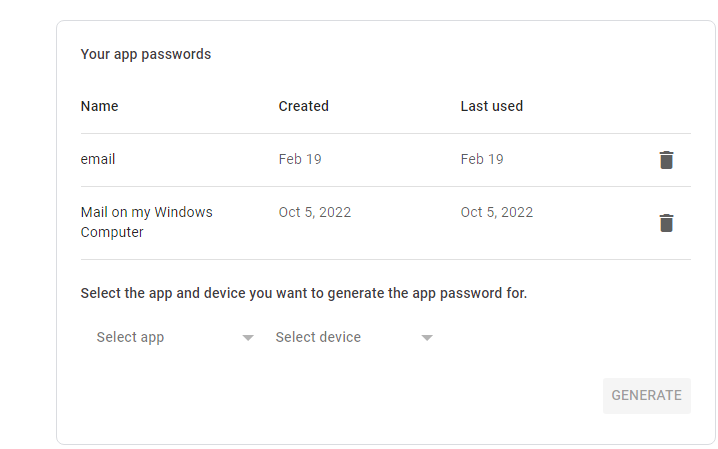
Click Select App And Set App name .
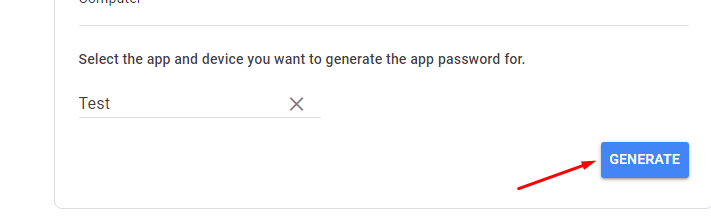
Copy The Code And Past Settings.py EMAIL_HOST_PASSWORD
Settings.py
#gmail_send/settings.py
EMAIL_BACKEND = 'django.core.mail.backends.smtp.EmailBackend'
EMAIL_HOST = 'smtp.gmail.com'
EMAIL_HOST_USER = 'olee.techs@gmail.com'
EMAIL_HOST_PASSWORD = 'adsddd' #past the key or password app here
EMAIL_PORT = 587
EMAIL_USE_TLS = True
DEFAULT_FROM_EMAIL = 'from oleetech'
আমরা যদি ইমেইল পাঠানোর সময় আমাদের প্রজেক্ট এর assets/media ফোল্ডার থেকে কোন ফাইল অ্যাটাচ করে দিতে চাই তাহলে settings.py ফাইলে media ইউআরএল সেটআপ করে দিতে হবে।
settings.py
STATIC_URL = 'static/'
STATICFILES_DIRS = [
    BASE_DIR / 'static',
]
STATIC_ROOT=(BASE_DIR/ "assets/")
MEDIA_URL = '/media/'
MEDIA_ROOT = os.path.join(BASE_DIR, 'assets/media/')
Views.py
from django.core.mail import EmailMessage
from django.http import HttpResponse
from django.shortcuts import render

def send_email(request):
    subject = 'Email with attachment'
    message = 'Please see the attached file.'
    from_email = 'your_email@gmail.com'
    recipient_list = ['recipient@example.com']
    email = EmailMessage(subject, message, from_email, recipient_list)
    # email.attach_file('Python_module.pdf') # Replace with the actual path to the attachment
    email.send(fail_silently=False)


    return render(request, 'sendemail/email_sent.html')
urls.py
from django.urls import path
from . import views

urlpatterns = [
    path('sendemail', views.send_email, name='send_email'),
]
Templates
templates/sendemail/email_sent.html
After Success Mail Sent Show Message in this Template
<html>
    <head>
        <title>Email sent</title>
    </head>
    <body>
        <h1>Email sent</h1>
        <p>Your email has been sent.</p>
    </body>
</html>
Send Email With Attachment
Settings.py
#gmail_send/settings.py
EMAIL_BACKEND = 'django.core.mail.backends.smtp.EmailBackend'
EMAIL_HOST = 'smtp.gmail.com'
EMAIL_HOST_USER = 'olee.techs@gmail.com'
EMAIL_HOST_PASSWORD = 'fgdsfffsfsfs' #past the key or password app here
EMAIL_PORT = 587
EMAIL_USE_TLS = True
DEFAULT_FROM_EMAIL = 'from oleetech'
forms.py
from django import forms
class ContactForm(forms.Form):
    email = forms.EmailField(required=True)
    subject = forms.CharField(required=True)
    message = forms.CharField(widget=forms.Textarea, required=True)
    attachment = forms.FileField(required=False)
Views.py
from django.shortcuts import render,redirect
from django.http import HttpResponse
from django.core.mail import EmailMessage
from django.conf import settings
from .forms import ContactForm

def send_email(request):
    if request.method == 'POST':
        form = ContactForm(request.POST, request.FILES)
        if form.is_valid():
            # Get form data
            email = form.cleaned_data['email']
            subject = form.cleaned_data['subject']
            message = form.cleaned_data['message']
            attachment = form.cleaned_data.get('attachment')

            # Create EmailMessage object
            email_message = EmailMessage(
                subject=subject,
                body=message,
                from_email=settings.EMAIL_HOST_USER,
                to=[email],

            )

            # Attach file to email
            if attachment:
                email_message.attach(attachment.name, attachment.read(), attachment.content_type)

            # Send email
            try:
                email_message.send()
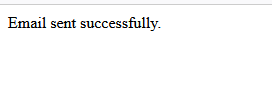
                return HttpResponse('Email sent successfully.')
            except Exception as e:
                return HttpResponse('Email could not be sent. Error message: {}'.format(str(e)))
    else:
        form = ContactForm()
    return render(request, 'nid/email_form.html', {'form': form})
Templates
templates/nid/email_form.html
<form  method="post" enctype="multipart/form-data">
    {% csrf_token %}
    {{form.as_p}}
    <input type="submit" value="submit">
</form>
urls.py
from django.urls import path
from . import views
urlpatterns = [
  path('emailform/', views.send_email, name='emailform'),

]
OutPut
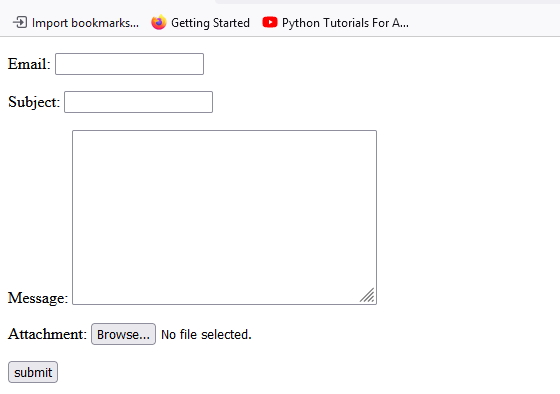
Write a caption
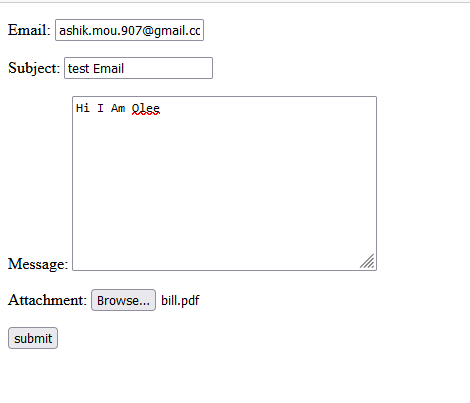
Write a caption
Write a caption