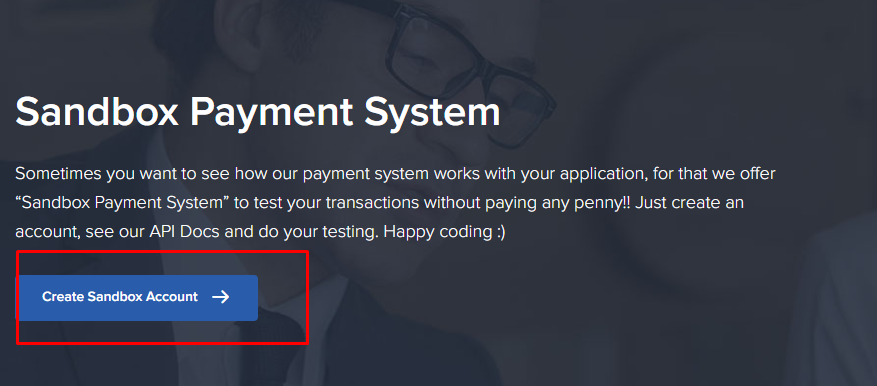
sandbox account
- step 1: link
- step 2 : link
- step 3: link
- step 4 : link
- step 5 : link
- step 6 : link
- step 7 : link
- step 8 : link
- step 9 : link
- step 10 : link
- step 11: link
- step 12 : link
- step 13 : link
- step 14: link
- step 15 : link
- step 16 : link
- step 17 : link
- step 18 : link
- step 19 : link
- step 20 : link
- step 21 : link


Coding Part
Create a Django project: If you haven’t already, create a new Django project by running:
django-admin startproject myprojectCreate a Django app: Create a new Django app where you’ll implement the payment functionality.
cd myproject
python manage.py startapp payments
Install sslcommerz-lib: Install the SSLCommerz library using pip.
pip install sslcommerz-libConfigure settings: In your settings.py, add the SSLCommerz credentials and URLs.
SSLCOMMERZ_SANDBOX = True

SSLCOMMERZ_STORE_ID = 'rebel65d036a308048'
SSLCOMMERZ_STORE_PASSCODE = 'rebel65d036a308048@ssl'

SSLCOMMERZ_SUCCESS_URL = 'http://127.0.0.1:8000/success'
SSLCOMMERZ_FAIL_URL = 'http://127.0.0.1:8000/fail'
SSLCOMMERZ_CANCEL_URL = 'http://127.0.0.1:8000/cancel'
SSLCOMMERZ_IPN_URL = 'http://127.0.0.1:8000/payment_notification'
Create views: Define views for initiating payment, handling success, fail, cancel, and payment notification.
from django.shortcuts import render, redirect
from django.http import JsonResponse
from django.conf import settings
from sslcommerz_lib import SSLCOMMERZ
from django.views.decorators.csrf import csrf_exempt

def initiate_payment(request):
    if request.method == 'GET':
        # Render the form template for GET requests
        return render(request, 'payment_form.html')
    elif request.method == 'POST':
        # Extract parameters from the request body
        total_amount = request.POST.get('total_amount')
        cus_name = request.POST.get('cus_name')
        cus_phone = request.POST.get('cus_phone')

        # Validate if the required parameters are present
        if not all([total_amount,  cus_name, cus_phone]):
            return JsonResponse({'error': 'Missing required parameters'}, status=400)

        sslcommerz_settings = {
            'store_id': settings.SSLCOMMERZ_STORE_ID,
            'store_pass': settings.SSLCOMMERZ_STORE_PASSCODE,
            'issandbox': settings.SSLCOMMERZ_SANDBOX
        }

        sslcommerz = SSLCOMMERZ(sslcommerz_settings)

        post_body = {
            'total_amount': total_amount,
            'currency': 'BDT',
            'tran_id': '12345',
            'success_url': settings.SSLCOMMERZ_SUCCESS_URL,
            'fail_url': settings.SSLCOMMERZ_FAIL_URL,
            'cancel_url': settings.SSLCOMMERZ_CANCEL_URL,
            'emi_option': 0,
            'cus_name': cus_name,
            'cus_email': 'test@test.com',  # You can get this from the request if needed
            'cus_phone': cus_phone,
            'cus_add1': 'customer address',
            'cus_city': 'Dhaka',
            'cus_country': 'Bangladesh',
            'shipping_method': 'NO',
            'multi_card_name': '',
            'num_of_item': 1,
            'product_name': 'Test',
            'product_category': 'Test Category',
            'product_profile': 'general'
        }

        response = sslcommerz.createSession(post_body)

        # Check if the SSLCommerz API call was successful
        if response.get('status') != 'SUCCESS':
            return JsonResponse({'error': 'Failed to create payment session'}, status=500)

        # Assuming response['GatewayPageURL'] is where you want to redirect the user
        return redirect(response['GatewayPageURL'])

    else:
        return JsonResponse({'error': 'Method not allowed'}, status=405)

@csrf_exempt
def payment_success(request):
    success_message = "Payment successful! Thank you for your purchase."
    return render(request, 'success.html', {'success_message': success_message})
@csrf_exempt
def payment_fail(request):
    # Handle fail URL logic here
    return render(request, 'fail.html')
@csrf_exempt
def payment_cancel(request):
    # Handle cancel URL logic here
    return render(request, 'cancel.html')
@csrf_exempt
def payment_notification(request):
    # Handle IPN (Instant Payment Notification) logic here
    # This view will receive callback notifications from SSLCommerz
    # Update order status or perform other necessary tasks
    # SSLCommerz will send notification data in POST request
    return JsonResponse({'message': 'Payment notification received'})
Create URL patterns: Define URL patterns in your urls.py to route requests to the appropriate views.
# payments/urls.py
from django.urls import path
from . import views

urlpatterns = [
    path('', views.initiate_payment, name='initiate_payment'),
    path('success', views.payment_success, name='payment_success'),
    path('failed', views.payment_fail, name='payment_fail'),
    path('cancel', views.payment_cancel, name='payment_cancel'),
    path('payment_notification', views.payment_notification, name='payment_notification'),
]html templates
payment_form.html:
<!DOCTYPE html>
<html lang="en">
<head>
    <meta charset="UTF-8">
    <meta name="viewport" content="width=device-width, initial-scale=1.0">
    <title>Payment Form</title>
</head>
<body>
    <h1>Enter Payment Details</h1>
    <form method="post">
        {% csrf_token %}
        <label for="total_amount">Total Amount:</label>
        <input type="text" id="total_amount" name="total_amount" required><br><br>


        <label for="cus_name">Customer Name:</label>
        <input type="text" id="cus_name" name="cus_name" required><br><br>

        <label for="cus_phone">Customer Phone:</label>
        <input type="text" id="cus_phone" name="cus_phone" required><br><br>

        <input type="submit" value="Submit">
    </form>
</body>
</html>
success.html:
<!DOCTYPE html>
<html lang="en">
<head>
    <meta charset="UTF-8">
    <meta name="viewport" content="width=device-width, initial-scale=1.0">
    <title>Payment Success</title>
</head>
<body>
    <h1>Payment Successful</h1>
    <p>{{ success_message }}</p>

</body>
</html>
fail.html:
<!DOCTYPE html>
<html lang="en">
<head>
    <meta charset="UTF-8">
    <meta name="viewport" content="width=device-width, initial-scale=1.0">
    <title>Payment Failed</title>
</head>
<body>
    <h1>Payment Failed</h1>
    <p>Oops! Something went wrong with your payment.</p>

</body>
</html>
cancel.html:
<!DOCTYPE html>
<html lang="en">
<head>
    <meta charset="UTF-8">
    <meta name="viewport" content="width=device-width, initial-scale=1.0">
    <title>Payment Cancelled</title>
</head>
<body>
    <h1>Payment Cancelled</h1>
    <p>Your payment was cancelled.</p>

</body>
</html>
payment_notification.html:
<!DOCTYPE html>
<html lang="en">
<head>
    <meta charset="UTF-8">
    <meta name="viewport" content="width=device-width, initial-scale=1.0">
    <title>Payment Notification</title>
</head>
<body>
    <h1>Payment Notification</h1>
    <p>Notification received for payment.</p>
</body>
</html>
Run the Django server: Start the Django development server.
python manage.py runserver