INSTALLED_APPS = [
    # ...
    'allauth.socialaccount',
    'allauth.socialaccount.providers.google',
    # ...
]
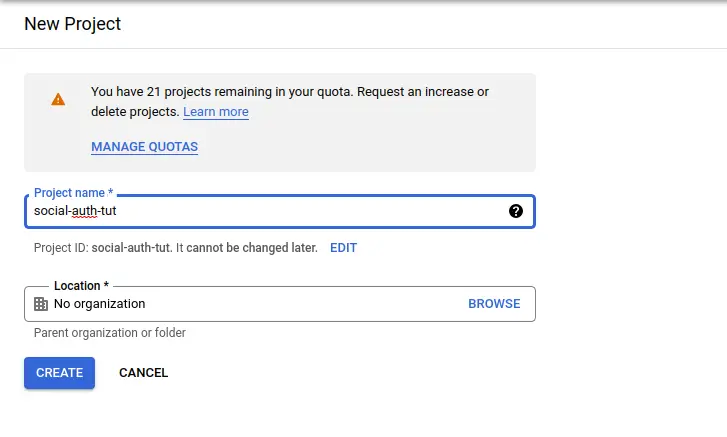
First, go to https://console.cloud.google.com/apis/ and create a project.
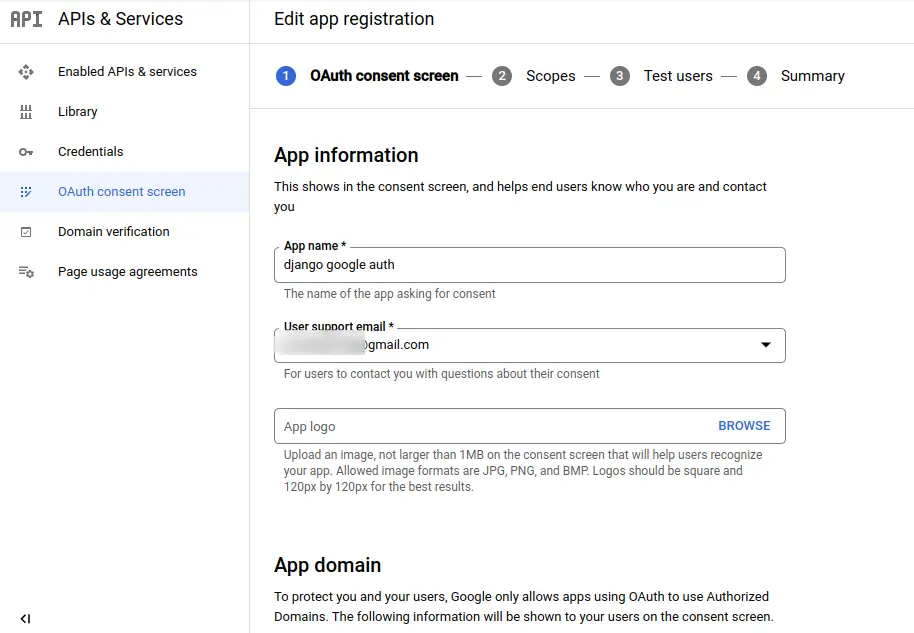
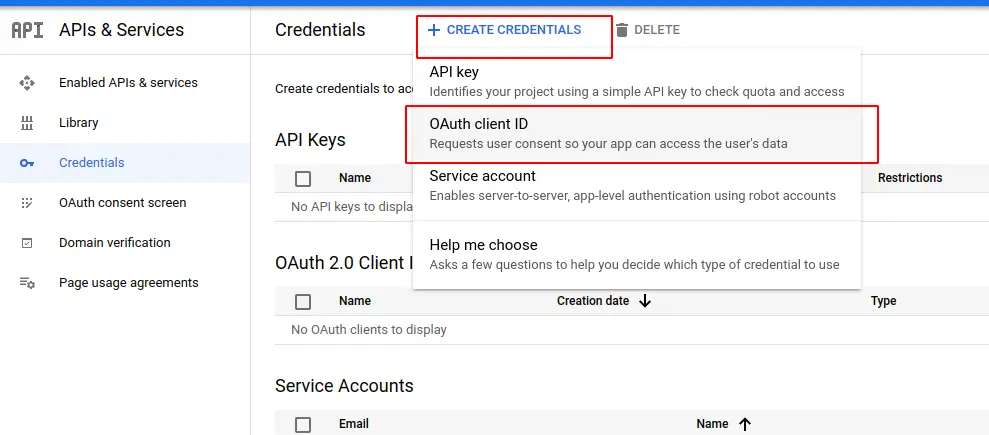
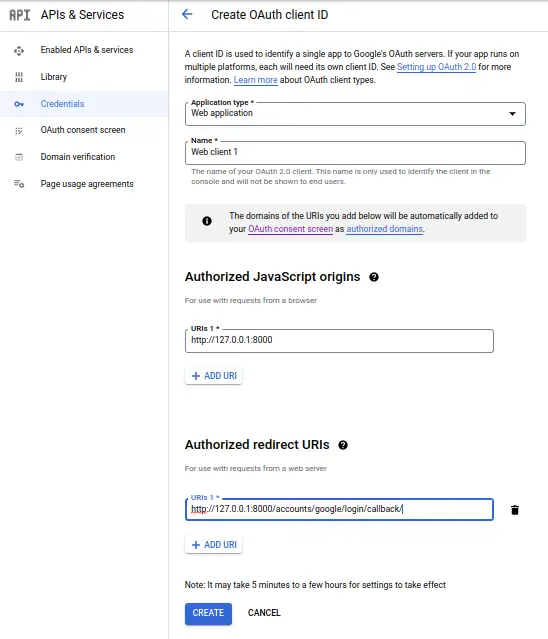
Click on it and choose web application, and add these two URLs,
http://127.0.0.1:8000 for Authorized JavaScript origins
http://127.0.0.1:8000/accounts/google/login/callback/ for Authorized redirect URIs
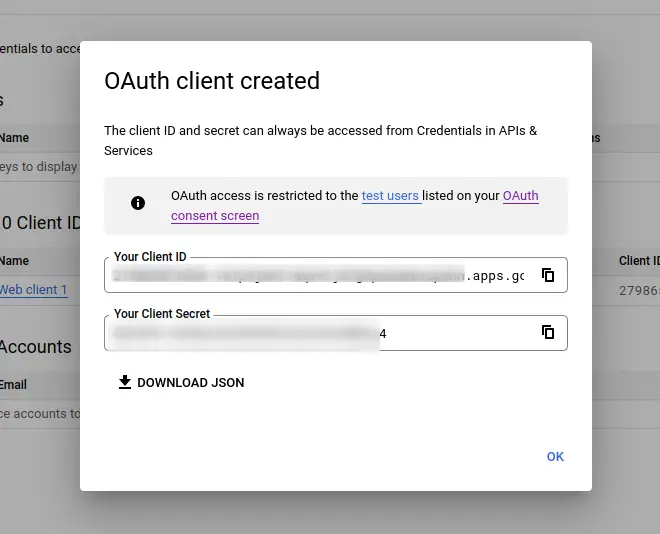
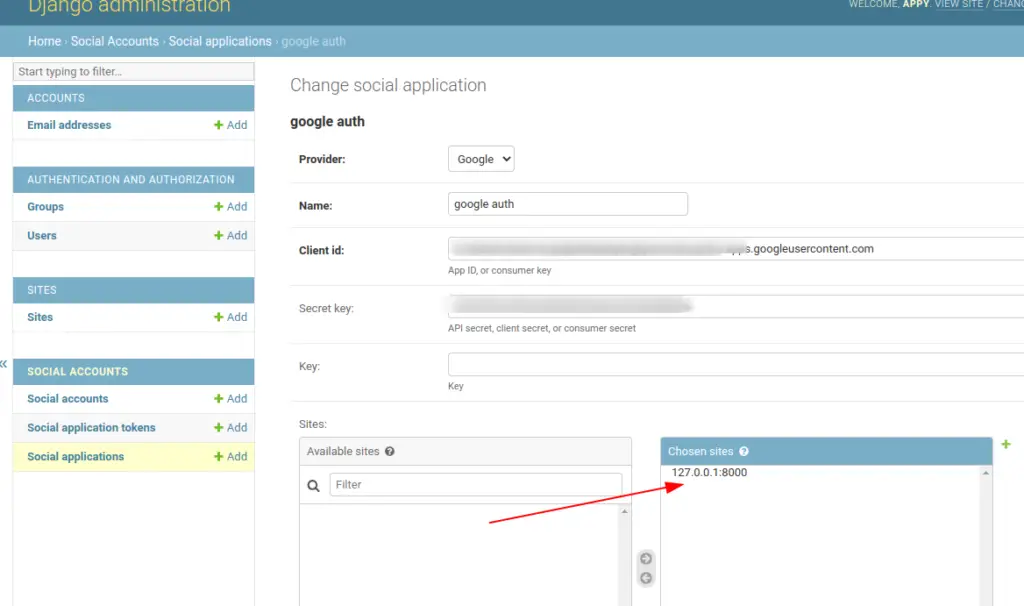
Now run the server using python manage.py runserver and open admin. Go to this page http://127.0.0.1:8000/admin/sites/site/1/change/ and make these changes,
- 1.Provider: Google
- 2.Name: OAuth App
- 3.Client id: [YOUR GOOGLE AUTH CLIENT ID]
- 4.Secret key: [YOUR GOOGLE AUTH CLIENT SECRET]
- 5.Sites: 127.0.0.1:8000
Then, click on Social Applications click Add and fill in the details as follows
Write a caption
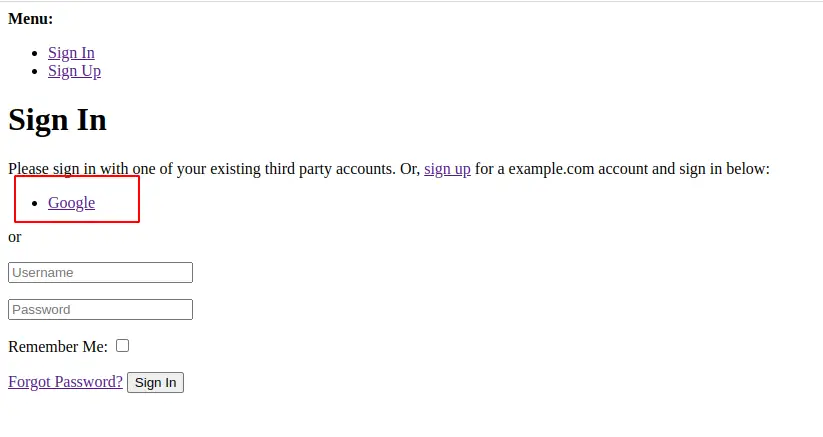
Now logout yourself because you logged in as a superuser and open http://127.0.0.1:8000/accounts/login/ and you can see Google login option.
Write a caption
If you have customized django-allauth templates then you can directly use this code in your template.
{% load socialaccount %}

<h1>Google Login</h1>

<a href="{% provider_login_url 'google'%}?next=/">Login with Google</a>