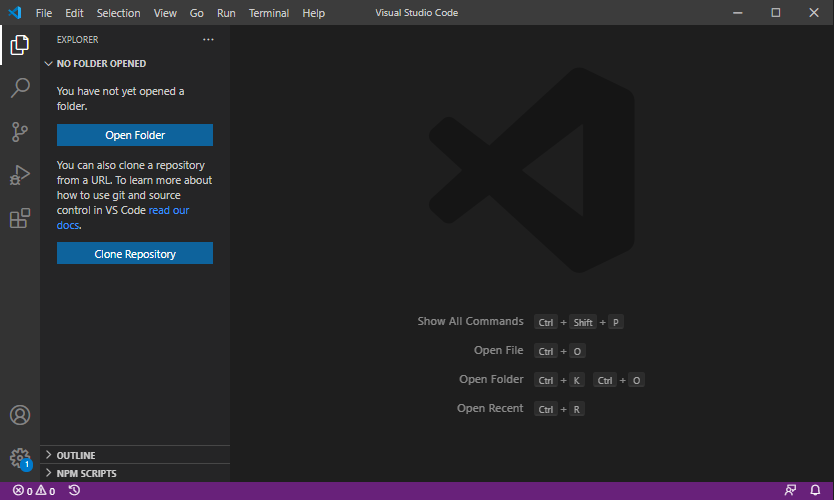
প্রথমে ভিজ্যুয়াল ষ্টুডিও কোড এর ওয়েবসাইট থেকে ভিজ্যুয়াল ষ্টুডিও কোড ডাউনলোড করে ওপেন করি
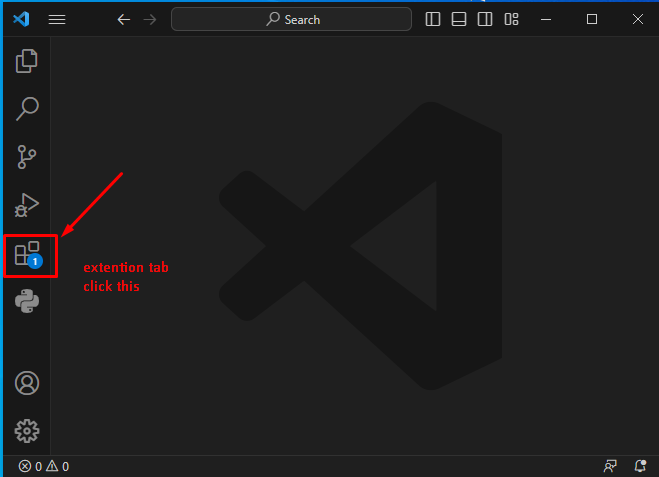
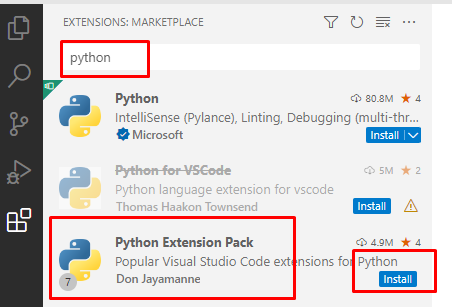
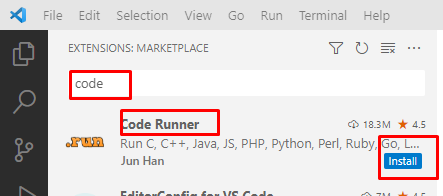
এবার পাইথন এর জন্য প্রয়োজনীয় এক্সটেনশন গুলো ইনস্টল করি।
- First, click the Extensions tab.
- Second, type the
pythonkeyword on the search input. - Third, click the
Pythonextension. It’ll show detailed information on the right pane. - Finally, click the Install button to install the Python extension.